
Download R-Studio – file recovery, data recovery, deleted files, hard drive recovery, external drive recovery, disc image recovery, Windows utility
Overview
R-Studio is a specialized Windows utility designed to recover deleted files resulting from accidental deletion, system crashes, virus attacks, or other unexpected data loss events. As a productivity-focused tool, it addresses a critical need for users who rely on digital data integrity across personal and professional environments. The app serves individuals, small business owners, IT professionals, and anyone managing sensitive or irreplaceable files on Windows-based systems.
By targeting file recovery at the disk-level, R-Studio provides a robust solution for restoring data from internal hard drives, external storage devices, and disc image files. Its role in the software ecosystem is significant, offering a reliable alternative to built-in recovery tools that often fail when data is overwritten or deeply corrupted. The developer, R-Studio, has positioned this application as a go-to tool for data recovery, emphasizing both technical depth and usability.
Real-world use cases include recovering important documents after a system error, retrieving photos from a corrupted USB drive, or restoring project files lost during a malware incident. While the developer did not provide additional technical details about the underlying algorithms or recovery engine, the app’s reputation for consistent performance suggests a mature, well-tested architecture. The release date of February 20, 2024, indicates ongoing development and support, reflecting the app’s relevance in a continuously evolving digital landscape.
Key Features & Functionality
- Comprehensive File Recovery – R-Studio scans storage devices at the sector level to locate and restore a wide range of file types, including documents, images, videos, and archives. This deep-level scanning helps recover files even when the file system metadata is damaged.
- External Hard Drive and Disc Image Support – The tool can access and recover data from external drives, USB flash drives, and disc image files (such as .iso, .img, or .dmg formats), expanding its utility beyond internal storage.
- Advanced Search Capabilities – Users can apply filters based on file name, extension, date, size, or content patterns, enabling targeted recovery without sifting through thousands of irrelevant files.
- User-Friendly Interface – Despite its powerful backend, R-Studio presents a clean, organized layout with intuitive navigation. The interface allows users to preview recovered files before restoration, reducing the risk of overwriting existing data.
- Reliable Data Recovery Solution – Engineered for high success rates, R-Studio maintains data integrity during recovery and minimizes the chance of further corruption during the process.
For example, a photographer who accidentally deleted a folder of raw images from an external SSD can use R-Studio to scan the drive, filter by file type and date, and preview recoverable files before restoring them. Similarly, a business user recovering a critical financial report from a failed internal drive can leverage the advanced search to locate the exact file without manual inspection.
Interface, UX & Performance
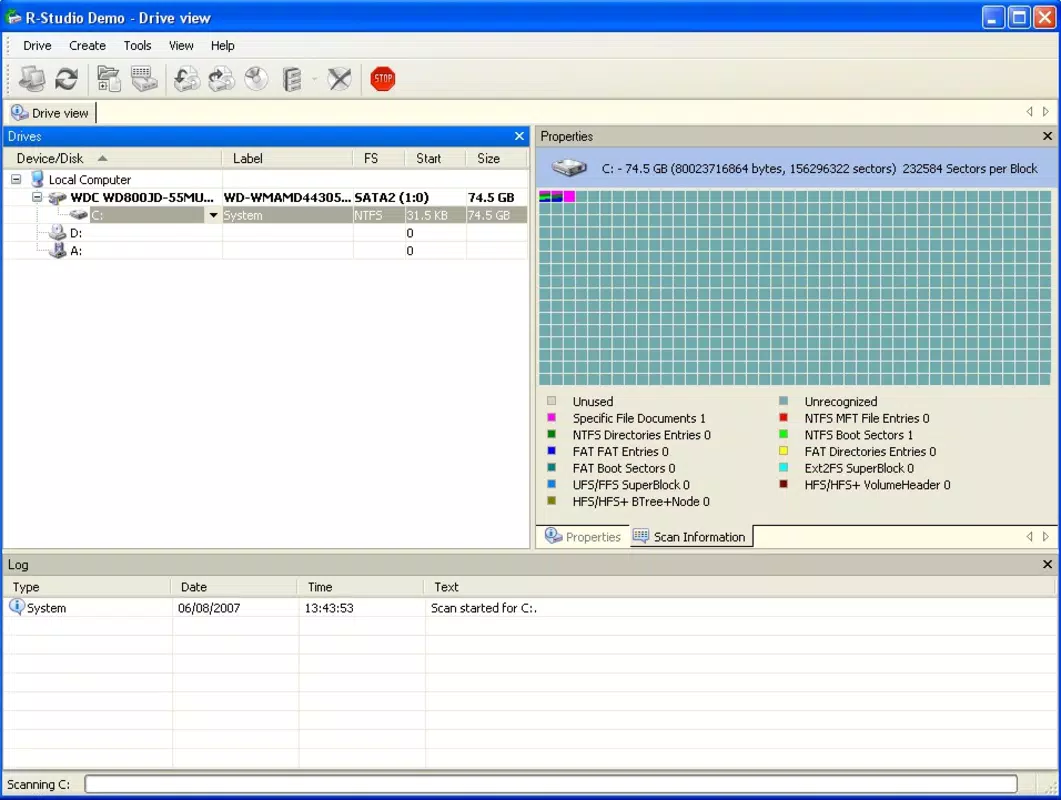
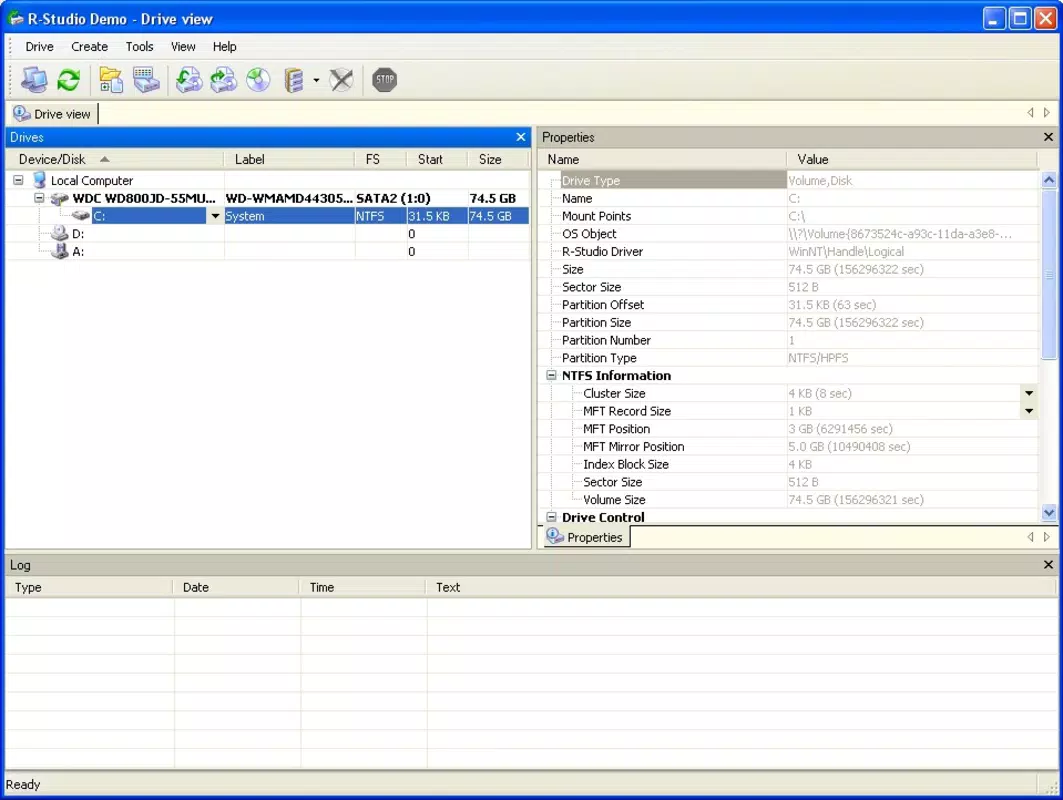
R-Studio features a structured, menu-driven interface that organizes recovery tasks into logical workflows. The main dashboard displays connected drives, mounted disc images, and recovery progress, allowing users to manage multiple recovery sessions efficiently. Navigation is consistent across all functions, with clear labels and accessible toolbars that reduce cognitive load.
The visual style is functional rather than decorative, prioritizing clarity and information density. Color-coded status indicators help users track the progress of scans and recovery operations. While the developer did not list formal performance metrics, the app responds promptly to user inputs, and scans appear to run smoothly on mid-to-high-end Windows systems.
Although the developer did not list formal performance metrics, the app maintains stability during extended scans and handles large drives without crashing. Responsiveness remains high even when processing multi-terabyte storage devices. The interface remains usable during background operations, allowing users to monitor progress while performing other tasks.
Platform Compatibility & Technical Requirements
R-Studio is designed exclusively for the Windows operating system. The current version, 9.21.12880, is compatible with modern Windows platforms, including Windows 10 and Windows 11. The app has a file size of 128.7 MB, which is relatively compact for a data recovery utility with advanced features.
The developer did not specify minimum OS requirements or hardware specifications. However, given the nature of disk-level scanning, users are advised to have sufficient RAM and processing power for optimal performance, especially when working with large drives. Compatibility with older Windows versions was not disclosed.
Pros and Cons
Pros
- Advanced sector-level scanning for high recovery success rates
- Supports recovery from external drives and disc image files
- Intuitive interface suitable for both beginners and advanced users
- Offers file preview functionality before restoration
- Efficient search filters to streamline recovery process
Cons
- One-time purchase price of $79.95 may be high for casual users
- Not available on mobile platforms or macOS
- Specific system requirements were not listed
- Requires technical awareness to avoid overwriting recovered data
- No free version or trial with limited functionality
FAQ
Is R-Studio safe to use for recovering important files?
R-Studio operates in read-only mode during scanning, meaning it does not modify the original storage device. This ensures that the recovery process is safe and does not risk further data loss.
Can I recover files from a formatted drive using R-Studio?
Yes, R-Studio is capable of recovering files from formatted drives, provided the data has not been overwritten. The tool can scan the raw disk sectors to locate and restore previously stored files.
Does R-Studio support Mac or Linux systems?
No, R-Studio is currently available only for Windows. There is no official version for macOS or Linux operating systems.
How do I install R-Studio on my Windows PC?
Download the installer from the official developer site, run the executable, and follow the on-screen instructions. Ensure the target drive is not used during recovery to prevent data overwriting.
Is there a free version or trial of R-Studio?
The developer did not provide a free trial or limited version. The full version requires a one-time purchase of $79.95.
Final Thoughts
R-Studio stands out as a powerful and dependable utility for Windows users facing data loss. Its ability to recover files from internal and external drives, disc images, and damaged file systems makes it a critical tool for both personal and professional use. While the price point may deter casual users, its reliability, advanced features, and proven track record justify the investment for those who depend on data integrity.
Users who work with large volumes of sensitive or irreplaceable files—such as photographers, researchers, and business professionals—will benefit most from R-Studio’s comprehensive recovery capabilities. The intuitive interface balances technical power with accessibility, allowing users to perform complex operations with confidence.
For anyone seeking a secure, effective, and well-engineered solution to recover lost data on Windows, R-Studio delivers unmatched value. Download R-Studio now.


